


|
Name |
Little Space Always On |
|---|---|
|
Google Play Link |
GET IT ON
Google Play
|
|
Category |
Personalization |
|
Developer |
Tortuous Developers |
| Last version | 1.0.5.5 |
|
Updated |
|
|
Compatible with |
Android 7.0+ |
Introduction to Little Space Always On APK
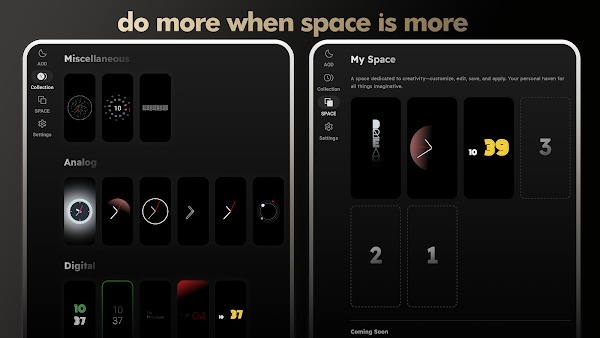
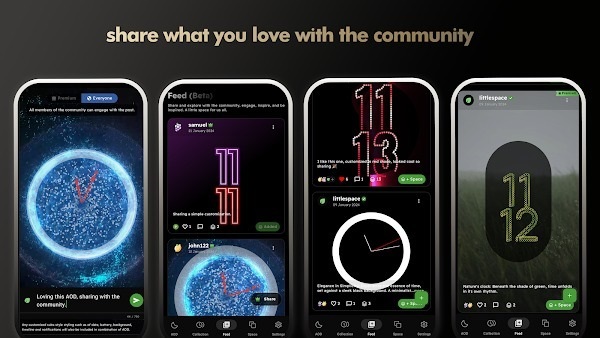
Little Space Always On APK is a utility app for Android that gives your lock screen a new vibe—one that's both functional and straight-up aesthetic. It’s not a game, it’s not a wallpaper app—it’s this clever tool that keeps key info visible on your screen without you having to wake your phone all the time. Think clock, battery level, notifications, and even custom widgets—right there, just chilling on your screen, even when your phone’s technically on standby.
Want your phone to reflect your personality even when it’s locked? That’s kind of the whole point of Little Space Always On. It lets you flip your device into something way cooler—your own curated mini dashboard. You’re not just slapping on a screensaver here; you’re setting the rules. Whether it’s a chill analog clock or a flashy animated layout with weather updates, this app lets you run the show.
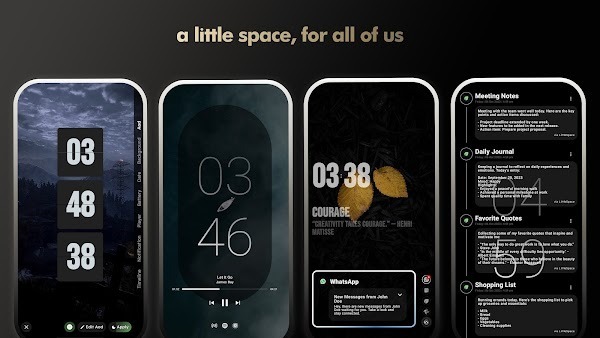
People using it often say it just makes their phones feel smarter—like it knows what they want to see and when. You get real-time updates without poking around or unlocking anything, which is perfect when you're out, working, or just don't feel like dealing with constant taps and swipes. You can totally rearrange what’s shown, from system notifications to music widgets or battery status. Everything’s modular, and that flexibility is a huge part of the app's appeal.
And if you’re worried about the battery life? Honestly, same. But this app was built with that in mind. It’s got stuff like Pocket Mode (turns the screen off when your phone’s tucked away) and smart scheduling to make sure the screen only stays lit when it makes sense. It’s like always-on display without the constant guilt trip about your battery going red halfway through the day.
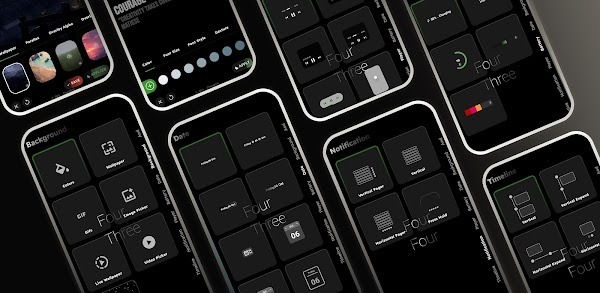
Design-wise, you can do a lot more than change up fonts and colors (though yes, that’s a thing too). You can even set up video backgrounds or animated effects if you want to show off. Or keep it minimal with a tiny white clock and nothing else. It's your screen, your call.
If accessibility is your priority, Little Space Always On gives you tools like adjustable contrast, font scaling, and theme modes that actually help. No squinting. No guessing. It’s great for anyone who checks their phone a million times a day—or just wants it to look cooler when it’s sitting on the desk.
Overall, this isn’t one of those apps that claims to do a lot but ends up just draining your battery and adding clutter. It’s well-designed, flexible, and works for people who want their phone to feel a bit more them. Whether you’re big on customization, love having quick info at a glance, or just want your phone to look less dead when locked, this one checks the boxes.
FAQs Little Space Always On
What is Little Space Always On?
+
Little Space Always On is an Android utility app that keeps your screen active with customizable clock styles, widgets, and notifications, even when your phone is locked.
How does Little Space Always On affect battery life?
+
It includes battery-saving modes like Pocket Mode and scheduled display hours to reduce power usage while still keeping your screen useful.
Can I customize the appearance of my screen with Little Space Always On?
+
Yes, you can adjust fonts, clock styles, backgrounds, widget positions, and even use your own images or videos for a personalized display.
Does Little Space Always On work on all Android phones?
+
It works best on newer Android devices. Some older models may not support all features or may have limited performance.
What features does Little Space Always On offer beyond just the clock?
+
You can add music controls, flashlight toggle, weather updates, notification previews, and more—all accessible from your lockscreen.
Discover More Interesting Apps
-
 Mod
Mod
Always On Edge
v9.6.8
10.16 Mb
Updated -
Mod
Wallcraft
v3.65.0
123.71 Mb
Updated -
Kawaii Cute Girl Theme
v3.9
4.36 Mb
Updated -
Mod
ZEDGE
v9.34.0
115.47 Mb
Updated -
Mod
Niagara Launcher
v1.16.23
13.64 Mb
Updated -
iLiquidGlassOS
v1.5.0
36M
Updated -
Mod
Legendary
v1.2
32 MB
Updated -
Keys Cafe
v3.11.2
43.25 Mb
Updated -
Mod
Wallpaper Store
v1.0.2
6.00 Mb
Updated -
Mod
OneDark 3D
v1.2.4
70M
Updated





Share Your Thoughts